
How to Add a Disaster Event
-
1
What does the Disaster Event do?
A Disaster Event, for example 2024 Hurricane Helene, is a new taxonomy term added to the bucket of vocabulary terms named Disaster Event. You will use this new term to tag and categorize content so that people affected by this disaster can find help.
- The Disaster Event also limits the scope of counties affected by this disaster. Any county or tribe not included in this Disaster Event will not be served by aid limited to this disaster.
- Likewise, when a Disaster Support Program pertains to a particular disaster, you will not be able to select counties outside the scope of what you set in this Disaster Event- an error will occur on saving.
AccordionScenario
A wildfire has impacted an area spanning Greene, Wayne, and Wilson Counties.
Disaster Event
- NC Emergency Management adds a new Disaster Event term named 2026 Wildfire Albert.
- Greene, Wayne, and Wilson Counties are selected in Affected Counties/Tribe. (Red on the interactive map)
Disaster Resource
Greene County Recreation Center will offer shelter after the disaster for Greene County residents only.
- A Disaster Resource Content Manager creates a new Disaster Resource named Greene County Shelter.
- Related Disaster Event for this resource is 2026 Wildfire Albert, limiting the scope to Greene, Wayne, and Wilson Counties.
- Affected Counties/Tribe for this resource is Greene County, narrowing the scope of this resource to Greene County.
- Note: If you also select Lenoir County when creating the Disaster Resource, the Disaster Resource will display an error when you try to save. You must remove Lenoir County to proceed because it is not included in 2026 Wildfire Albert. (Dark blue on the interactive map.)
- The Greene County Shelter will be suggested as a resource to people who live in Greene County and were impacted by 2026 Wildfire Albert.
- The Greene County Shelter will not be suggested as a resource to people who live in Wayne or Wilson Counties, even if they were impacted by 2026 Wildfire Albert.
-
2
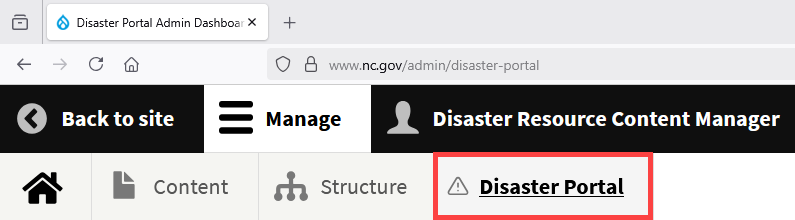
NCEM Only: Log in and Navigate to the Disaster Portal Admin Dashboard
NC Emergency Management creates all new Disaster Events. Do not add a new Disaster Event if you are not part of NCEM.
- Log in to the portal
- Navigate to
/admin/disaster-portal
-
3
Select Add a Disaster Event
In the Disaster Recovery Content table, go to the Create column and select the link to Add a Disaster Event. This only needs to be done once per disaster.
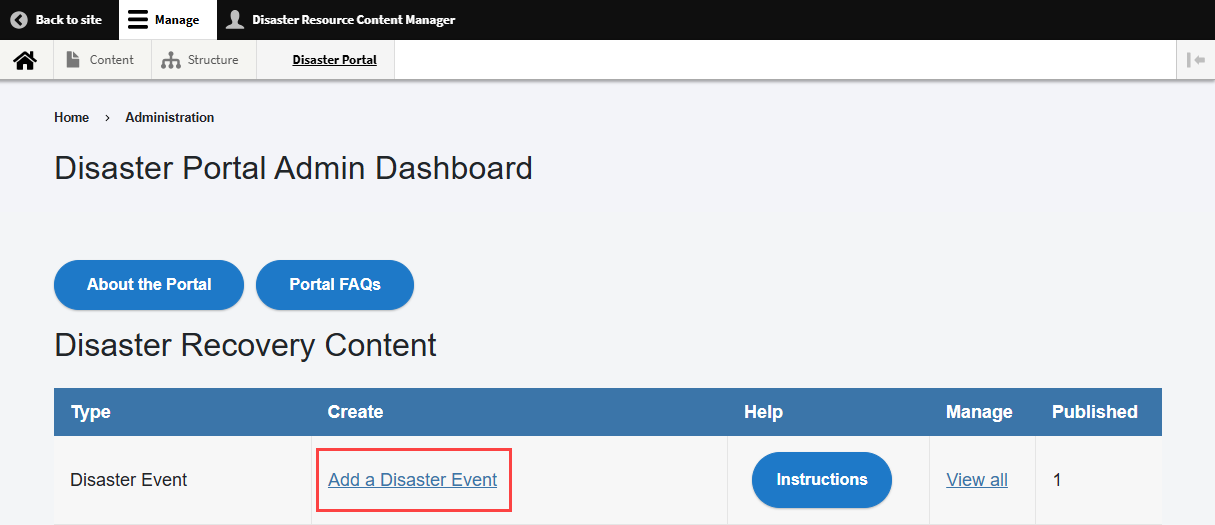
Note: This tutorial opens in a new window when you select the Instructions button. -
4
Add Term
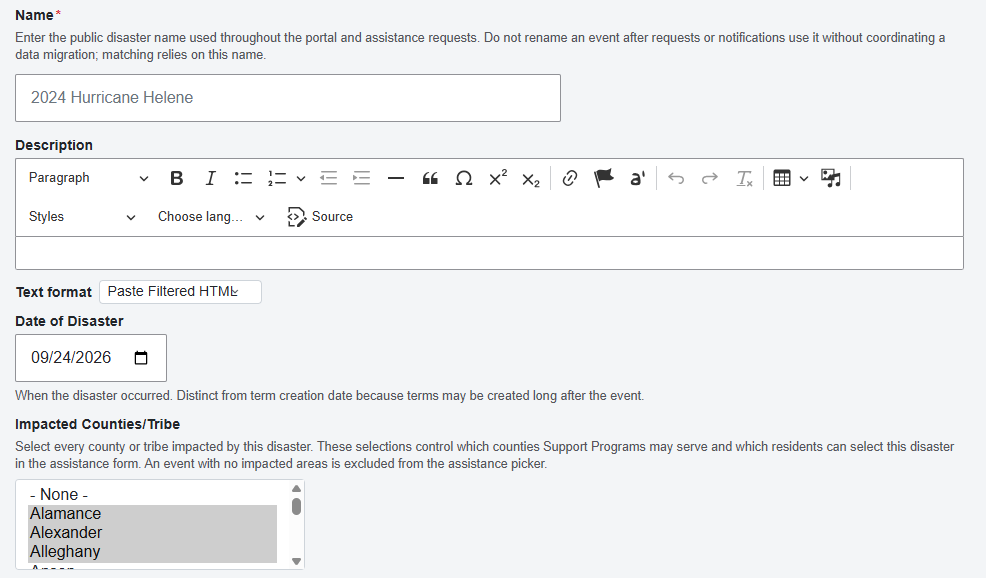
Complete all form fields. Fields marked with a red asterisk(*) are required.
- Name* - Enter the public disaster name used throughout the portal and assistance requests. Do not rename an event after requests or notifications use it without coordinating a data migration; matching relies on this name. Example: 2024 Hurricane Helene
- Description - Details about the disaster
- Date of Disaster - When the disaster occurred. Distinct from term creation date because terms may be created long after the event. Example: 09/24/2026
- Impacted Counties/Tribe - Select every county or tribe impacted by this disaster. These selections control which counties Support Programs may serve and which residents can select this disaster in the assistance form. An event with no impacted areas is excluded from the assistance picker.
- To Select Multiple Counties/Tribe:
- To select more than one county, press and hold the Control (Ctrl) key on PC or Command (⌘) key on Mac as you select each county.
- To select all counties for a Statewide disaster, select Alamance county, hold down the Shift key, and scroll to the bottom of the list to select Yancey county.
 Accordion
User Experiences
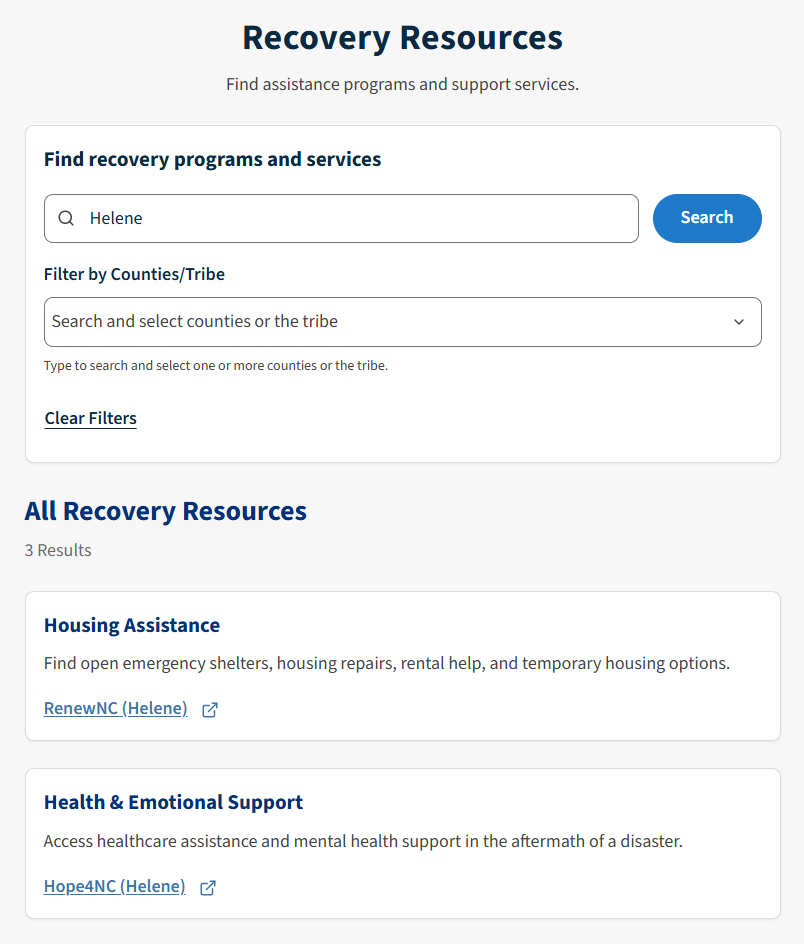
Public view of Disaster Resources filtered by the keyword "Helene." 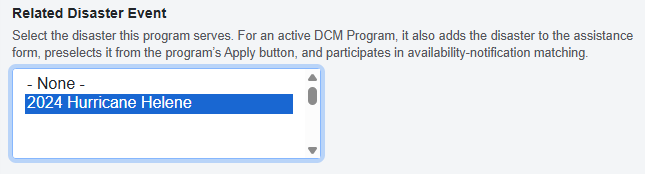
2024 Hurricane Helene now appears as a choice in the Related Disaster Event Field on the Disaster Support Program Content Type when you create new content. 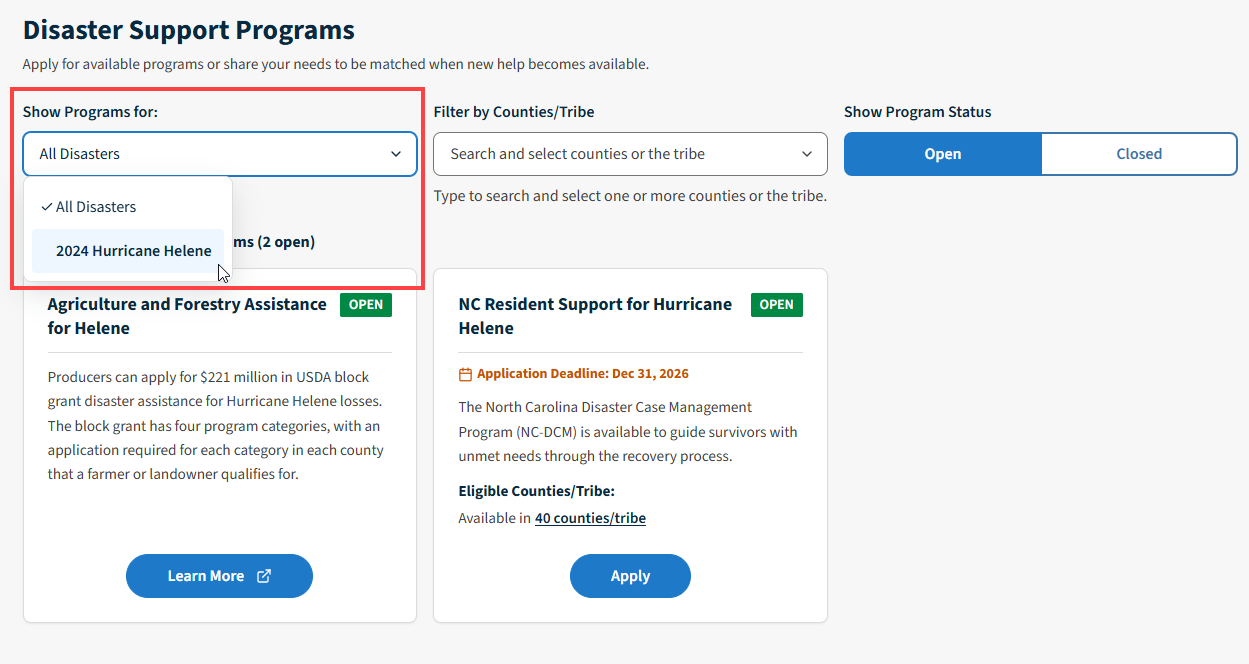
2024 Hurricane Helene now appears as a choice for the public who are searching for Disaster Support Programs related to this disaster. -
5
Save
Save. The term will now be available as an option under Related Disaster Event when you create new content.
Security Delay
Expect a delay of about 5 minutes before confirming that content is visible in the public Portal. This delay is intentional for security.
This page was last modified on 08/17/2026