
How to Push Updates to the NC Disaster Recovery Portal
-
1
RSS Feeds
RSS feeds are in place to pull content from
/news/disaster-recoveryfor these State government websites:- NC Department of Health and Human Services
- NC Office of State Fire Marshal
- NC Governor’s Office
- NC Department of Public Safety
- NC Department of Agriculture
- NC Department of Environment Quality
If your website is not on this list, you do not have an RSS feed set up and your content is not pushed to the NC Disaster Recovery Portal.
-
2
Create a Press Release on your Website
A Disaster Update is a Press Release that is copied from your website to the portal by RSS feed.
- Create a Press Release on your website.
- Expand Related Information to expose the taxonomy section labeled "This press release is related to:"
- Find Press Release Terms
- Select Disaster Recovery
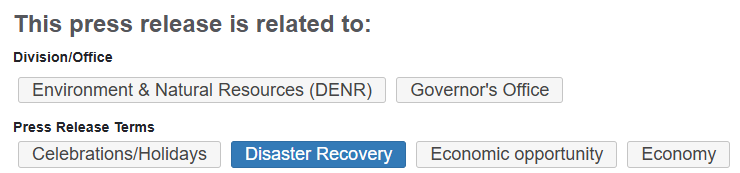
Disaster Recovery is selected as a press release term on this press release from the Governor's website. Notes: Your Press Release must be tagged with "Disaster Recovery" as a taxonomy term to appear on the portal. Be sure that all website staff are aware that this taxonomy term copies content to the portal. Do not push irrelevant content to the portal; this makes it harder for people in need to find help.
AccordionExamples
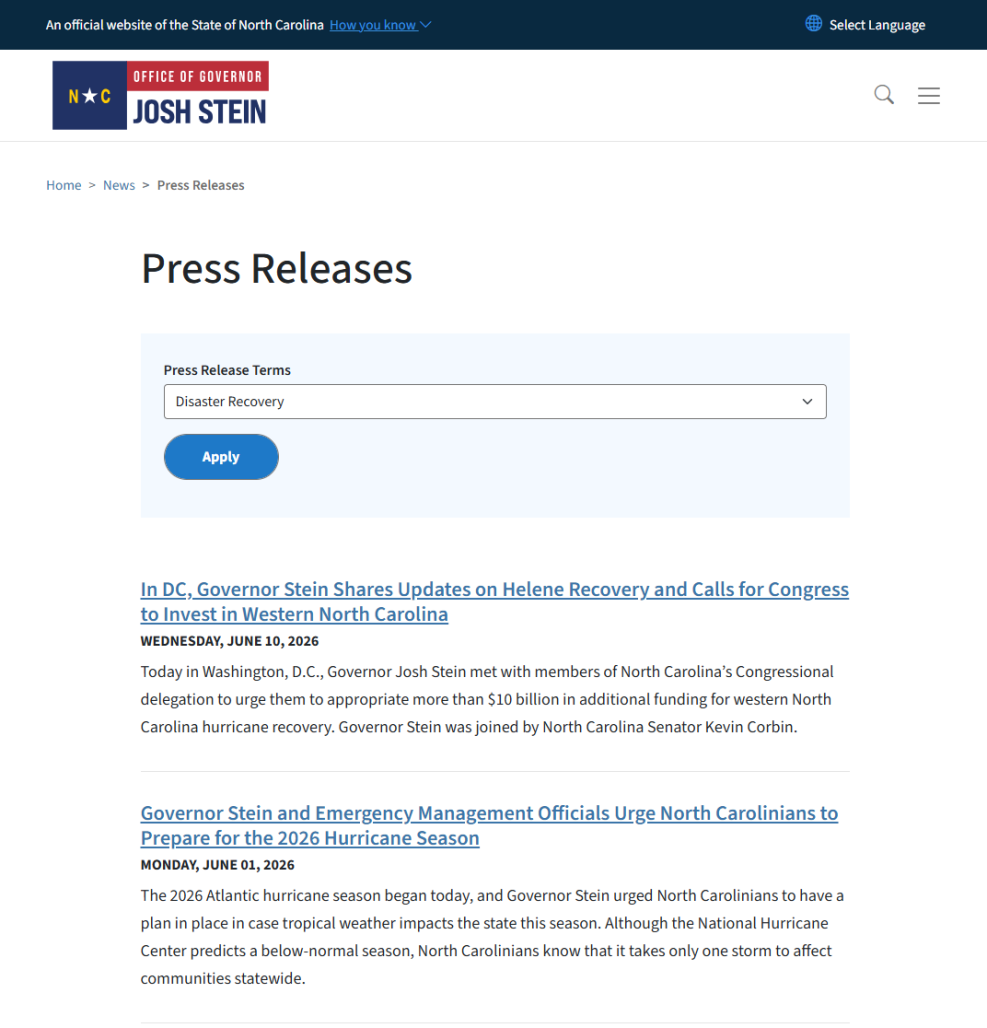
Two Press Releases from the Governor's website pertain two Disaster Recovery. 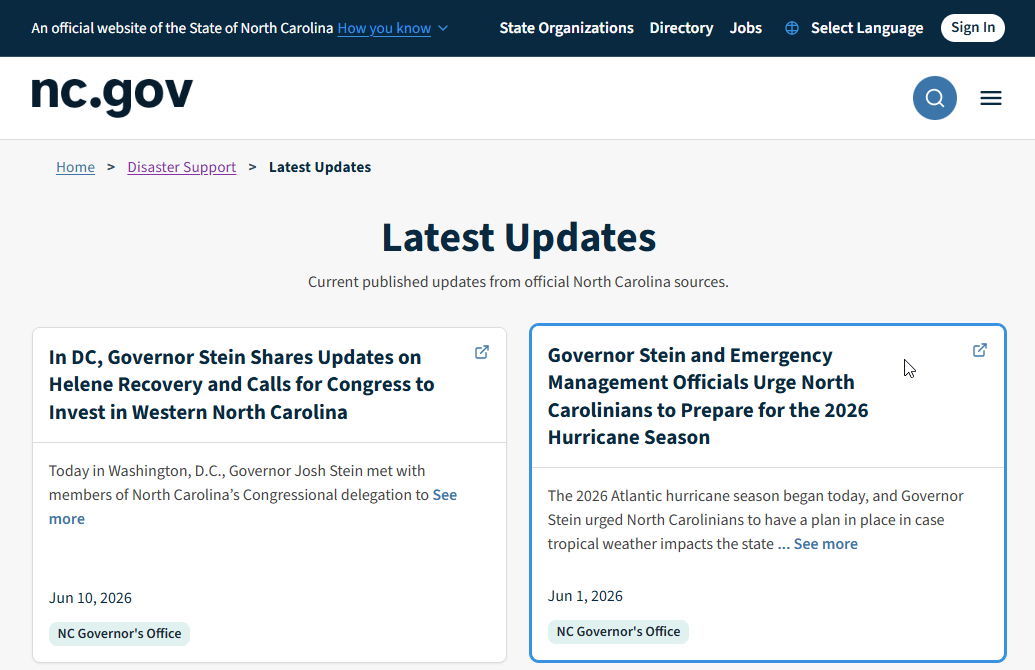
The same two press release examples display as Disaster Updates on the Disaster Recovery Portal.
This page was last modified on 08/04/2026