

Plenty of work goes on behind the scenes to keep the platform up to date and secure. Sprint Review focuses on the developments that impact your experience as a Digital Commons content creator.
Reminder: Register for We are NC Gov
October is at an end, and the We are NC Gov conference is right around the corner. Be sure to register, whether you plan to attend in-person or virtually. When you register, you can also enter any questions that you'd like to ask our expert panel on Digital Experience. We look forward to seeing you there!
New Features
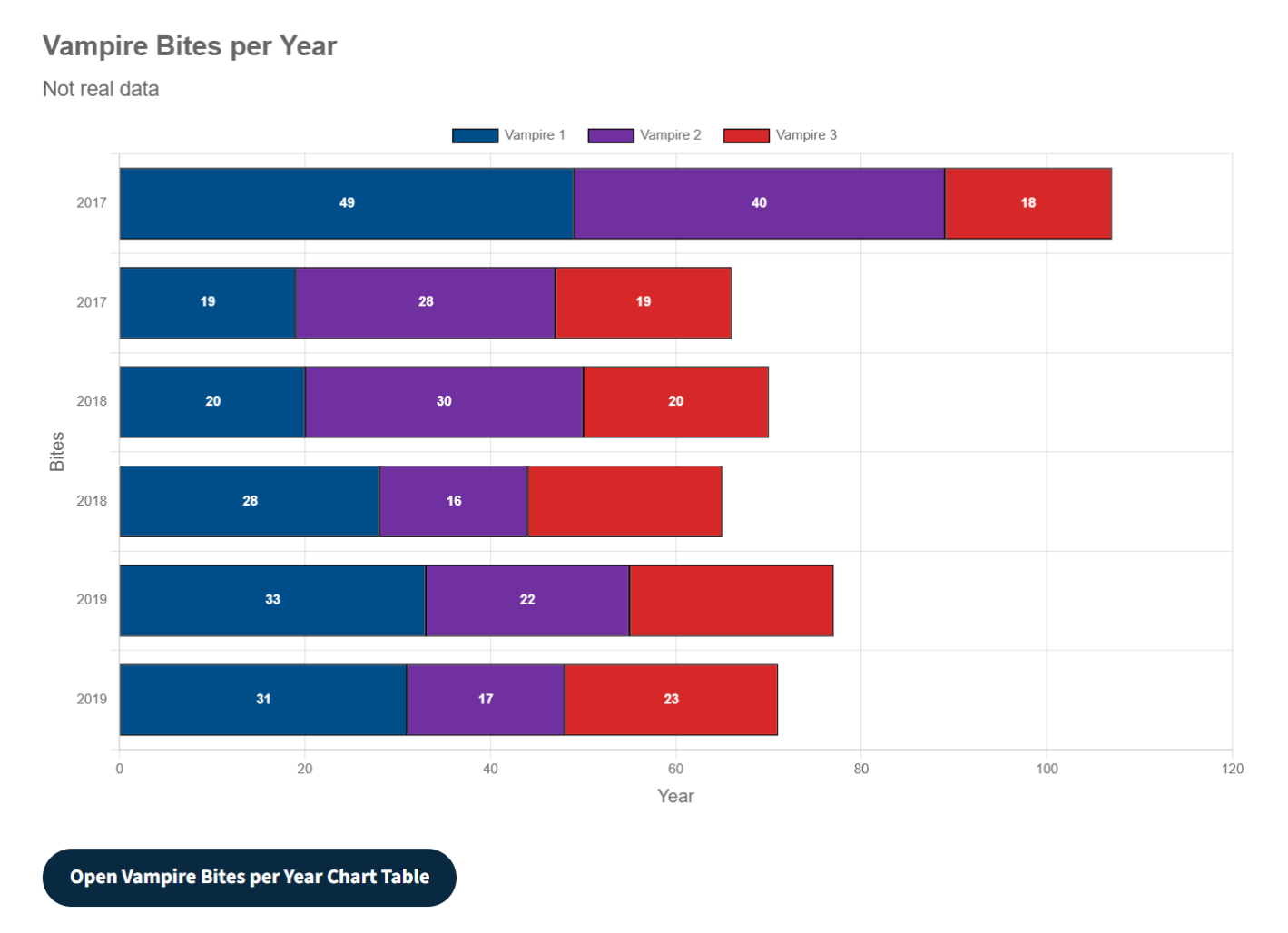
Stacked Bar added to Chart Component
Katie Schwerer has been hard at work continually improving the Chart Component to fulfill customer needs. What began as a simple, single line chart, now includes up to four lines, bars, and the latest improvement, stacked bars.
Updates & Fixes
EditoriA11y Update
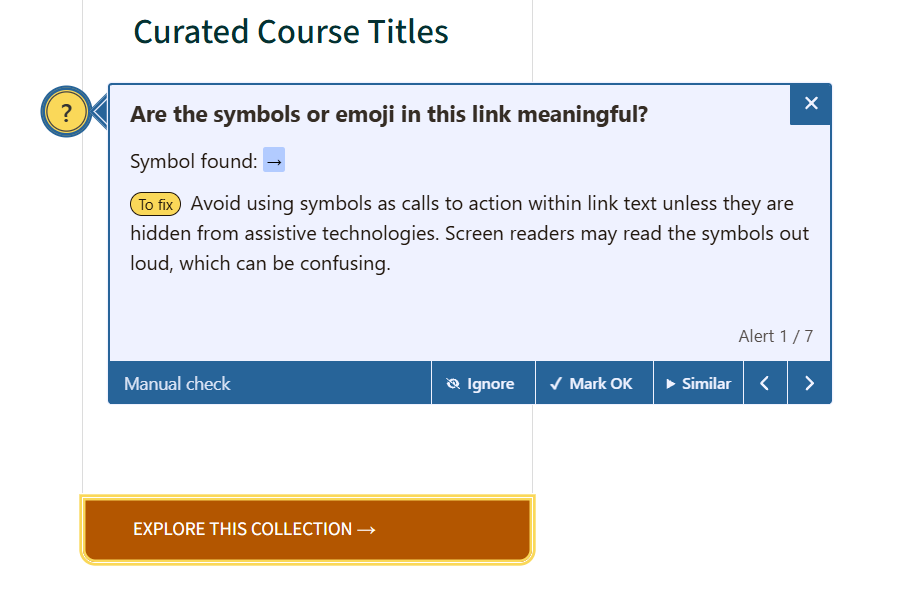
The third-party accessibility checker module we use, EditoriA11y, recently released an update. The tool is now flagging more potential errors than ever before, which is great. However, one thing being flagged was the "more" styling that you can add to a Quick Links Component. When the "more" style is applied to a link, it changes the background color, moves that link to the bottom of the component, and shows a small icon of an arrow. Per the accessibility checker, you should "Avoid using symbols as calls to action within link text unless they are hidden from assistive technologies. Screen readers may read the symbols out loud, which can be confusing." You don't have the ability to do this, so we took care of it for you.
Media Library
Some unnecessary text was appearing beneath images in the Media Library, which we have removed. Thank you to Kristin Zachary for reporting what you observed. The text appeared because of a new column that displays when you browse the table view of the Media Library. The text should only appear for documents, not images.
Table Row Background Colors
The background color of table rows should alternate between white and light gray to help site visitors more easily view data. This formatting displayed properly while editing, but not when published. This has been fixed and now displays properly. Thanks to Kelly Gardner for reporting this issue.
More Efficient Scheduling Options
Web Managers have the ability to schedule a content type to publish or unpublish on a certain date. However, the scheduling options for moderated content were a bit tedious with some unnecessary or redundant fields. When choosing to schedule a publish or unpublish date, you also had to select the desired page state; with no other options, it was silly to force you to make that selection. The scheduling options was removed the fields for "Publish state" and "Unpublish state," and we're handling it for you in the background. All you need to do is select a date and time. Look at us, making your workflow more efficient!