

New Features
Webforms - NC State Agencies
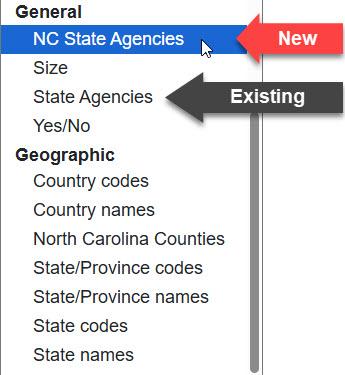
You now have two distinct State agency lists to choose from when selecting Element Options for a Webform. The original State Agencies list was missing some executive offices from the list of choices offered to the user, but offered some granularity. We created a new list option that you can use, NC State Agencies, for a higher-level overview. Check out the Webform Help Topic for a table that lists all of the choices a user may select depending on the agency list you select in Element Options when creating your webform.
New Full Width Option for Text Component
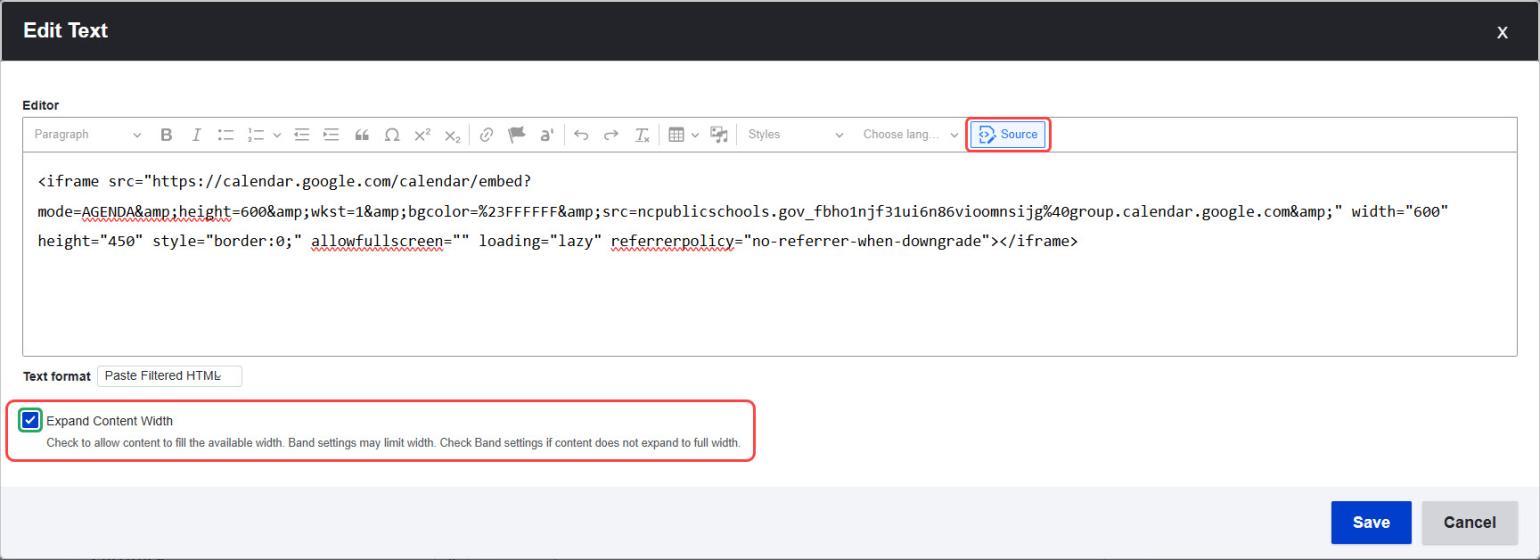
Sometimes Tableau and PowerBI dashboards don't play nicely in the iFrame Component and need to be pasted into the Source Code of the Text Component. To help iFrame content display better when using the Text Component, we have added a new option to expand the Text to the full width.
Notes:
- First, make the Band full width on the Landing Page, then select full width again within the Text Component.
- Embedded code must define height in pixels. Width can be defined as either pixels or 100%.
Updates & Fixes
Page Descriptions on Default Views
DubBot flags our Default Views as pages that lack a Page Description. This was resolved by adding metadata to each of the default views. This fix also enhances Search Engine Optimization.
Updated Full Width Option for Tabs/Accordion Component
The Full Width option for Tabs/Accordion was not working as designed. It has been fixed and works a bit differently than in the past. Rather than checking the box once to apply Full Width to the entire Tabs/Accordion, the Full Width option is now applied to each individual Tab or Accordion under Advanced Settings.
Notes:
- Select the checkbox for Tabs if the content is displayed in Tabs.
- Select the checkbox for Accordion if the content is displayed in an Accordion.
- The correct display type must be selected or the Full Width function will not work correctly.
Gray Text and Icons
A recent change to H1 formatting affected platform text and icons, which were appearing as dark gray instead of black. In turn, this disrupted the platform styling on CTA Cards as well. Icons and text are back in black and working as designed.
Video Card Help
While editing a page, if you clicked the link to open the Video Card Help Topic, it was opening in the same window. We prefer for this link to open in a new window so that you can access the tutorial while working instead of navigating away from your page and losing work.
Recently Launched
- North Carolina Boards And Commissions - These boards and commissions provide North Carolinians a way to engage in public service and help make decisions that shape the quality of life in our state.
- Broadband & Digital Opportunity Resource Finder - Use this tool to find resources like help with using the internet, finding public computers and Wi-Fi, and digital classes across North Carolina.
In Case you Missed it
Improvements shared during our last Sprint Review 65 on
All Past Sprints