New Features
Save & Continue Button

Exclusive to Landing Pages and Site Pages, the new Save & Continue button speeds up your workflow because it allows you to save your work and keep editing.
| Save | Save & Continue |
|---|---|
| The old Save button is still there and works the same way it always did. When you select Save, your work is saved, the page is refreshed and loads to display the public view of the content. You must select the Edit tab to return to editing page content. | When you select Save & Continue, your work is saved but you remain in Edit mode so that you can continue editing page content. You don't have to wait for the page to refresh, load to the public view, or select the Edit tab again. |
Bar Chart added to Chart Component
As requested, a Bar Chart is now available as an option within the Chart component. This is only available in the larger-sized columns.
Horizontal Line
The Text Editor (also known as CKeditor) now includes a button for a horizontal line.

Select this button to add a faint gray horizontal rule that helps you visually break up content. This feature is especially useful when you convert a large PDF to a Site Page and need to break up long content into smaller chunks. Below is an example of what you'll see on the page:
Updates & Fixes
All Caps in Footer Blocks
This one requires a bit of context. Unless you are abbreviating with an acronym, you should avoid writing in all caps because it is not accessible- screen readers read each letter individually. Our footer blocks (at the bottom of all Digital Commons websites) appear to use all caps, but it is an illusion- some CSS styling transforms the text to appear capitalized.
Accessibility tools, however, were still identifying an issue. After some digging, we discovered that it is because of the word "us". "Contact us" was interpreted as "Contact U.S." and "Follow us" was interpreted "Follow U.S." (The irony is not lost on us- in the month we celebrate America 250, "us" was interpreted as the abbreviation for "United States.")
How to Fix it
We recommend removing "us" from your footer text. Use "Contact" or "Follow our Agency" instead.
Hiding Page Titles
Landing pages have a checkbox that allows you to hide the page title. When a Landing page had a Main Image, it was ignoring the checkbox and showing the title anyway. This has been fixed.
Bulleted Links in the Footer
When bulleted lists were used for links in the footer blocks, they did not appear to be links. Upon rollover, the hover effect would display, but unless a user rolled over it, nothing would indicate that it was interactive. This has been fixed so that links in bulleted lists within the footer are now underlined like all other links.
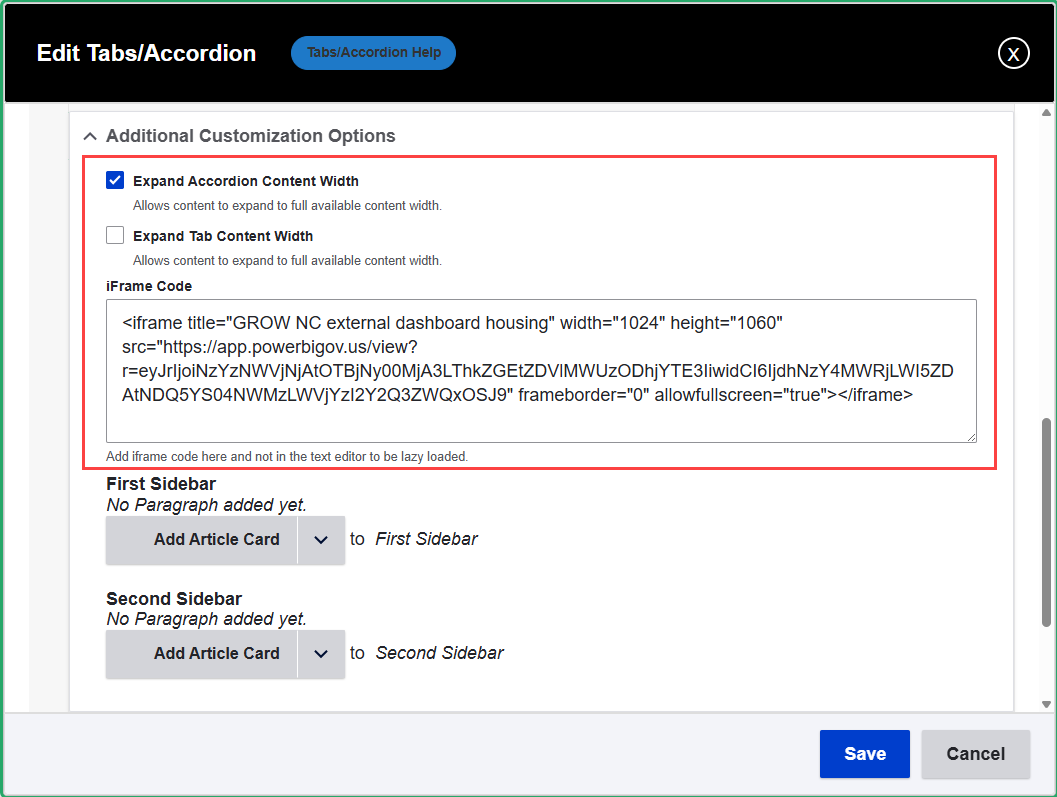
Accordion iFrame Field
Accordions have a special iFrame code field for embedding iFrame content. Accordion Sidebars should not be used for iFrame content, so the iFrame Component option has been removed from Accordion Sidebars.