
How to set up and use NCDIT's AI Chatbot
-
1
Understand the AI Chatbot Service
The AI chatbot generates accurate responses based solely on the agency’s website content. Automated site crawling ensures the chatbot’s knowledge base stays up to date, while built-in safeguards maintain response accuracy. You can choose to customize responses as needed, allowing for tailored communication.
- Agency staff must coordinate with the agency's web manager to implement AI Chatbot for Digital Commons platform deployment.
- Service requests that incur a cost to the agency will typically require approval from the requesting agency’s CIO, financial officer or manager, depending upon your agency's requirements.
- Any staff with access to the NCDIT Support Center may engage the team for support or information.
-
2
AI Chatbot Discovery & Intake Process
Discover and outline your agency's goals, visitor needs, content readiness, and operational requirements. The discovery process helps the chatbot team determine the best approach for implementing your AI chatbot.
- Download the AI Chatbot Discovery & Intake Form and use it to document your responses to the five areas of AI Chatbot Discovery outlined below.
- Submit a Service Center request for an AI Chatbot. Attach your completed AI Chatbot Discovery & Intake Form to your request.
- Meet with a Content Strategist. The content strategist will review your responses to the intake form to help you develop a strategy for implementing your chatbot.
AccordionDiscovery Process
First, understand why the agency wants a chatbot.
- What problem are you hoping the chatbot will solve?
- Who are the primary audiences? For example, gen public, state agencies employees or vendors?
- What are the most common questions visitors ask when contacting your agency?
- What are visitors struggling to find or understand on your website?
- What should visitors be able to accomplish using the chatbot?
- How will you determine whether the chatbot is successful?
Key question to ask: If the chatbot could help visitors accomplish only three things, what would those things be?
Deliverable: A clear problem statement, target audiences, and prioritized visitor needs.
Before building a chatbot, determine whether the information it needs already exists and is reliable.
- Which website sections, pages, webforms, and documents contain the information visitors need?
- Is the information accurate, current, and easy to understand?
- Do multiple pages or documents provide overlapping, outdated, or conflicting information?
- Are there common questions for which the website does not provide a clear answer?
- Are important instructions buried in long PDFs, complex tables, or lengthy pages?
- Have you reviewed website search terms, analytics, PDF downloads, or other evidence of what visitors are looking for?
- Could improving page structure, readability, navigation, or converting PDFs to HTML address some of these challenges before implementing a chatbot?
Key question to ask: Are we using a chatbot to help people find good information, or are we expecting it to compensate for information that is missing, outdated, or difficult to understand?
Establish what the chatbot is allowed to use when answering questions.
- Which websites, pages, documents, databases, or other resources should the chatbot use?
- Are there sources that must be excluded?
- Who is responsible for validating the accuracy of the information?
- How frequently does the information change?
- Are there sensitive, confidential, or restricted information sources that require special consideration?
- How will content updates, policy changes, and newly published information be reflected in the chatbot?
Key question to ask: Who in the agency has the authority to approve the information the chatbot uses to answer the public?
Define what the chatbot should and should not do.
- Will the chatbot answer general questions, guide visitors to relevant pages, help them complete tasks, or support more complex interactions?
- Which topics or services should be included in the initial launch?
- Are there topics that should be excluded from the pilot?
- Should the chatbot link directly to official sources for its answers?
- What should it do when it cannot find a reliable answer?
- When should it direct visitors to a human representative, phone number, email address, or service portal?
- Will the chatbot need to support languages other than English?
Key question to ask: What should the chatbot do when it does not know the answer?
A chatbot is an ongoing service, not a one-time technology implementation.
- Who will serve as the business owner for the chatbot?
- Who will maintain and approve the underlying website content?
- Who will review unanswered questions, inaccurate responses, and visitor feedback?
- What process will be used to review the chatbot when policies, programs, or services change?
- How much staff time can the agency dedicate to ongoing monitoring and maintenance?
Key question to ask: Who will make sure the chatbot remains accurate and useful six months after launch?
-
3
AI Chatbot Setup and Training
Prepare a list of top user questions with the correct answers and source page to train and test the chatbot.
- Question
- Correct answer to each question
- Source page for each answer
Download the Expected Questions Excel Template
Schedule a demo with the chatbot development team. Provide your Excel questions list before or during this meeting. We will train you on the chatbot's functionality and configuration portal.
-
4
Chatbot Deployment
Once chatbot development, evaluations, and testing are satisfactorily completed, we will notify you that your chatbot is ready for deployment.
- If your website is on Digital Commons, you can notify us when you are ready to deploy, and our team will deploy your chatbot to your production website.
- If your website is not on Digital Commons, we will provide you with the JavaScript snippet your developers can paste into your website to deploy the chatbot.
After deployment, visitors will find a chat bubble overlay on your website.
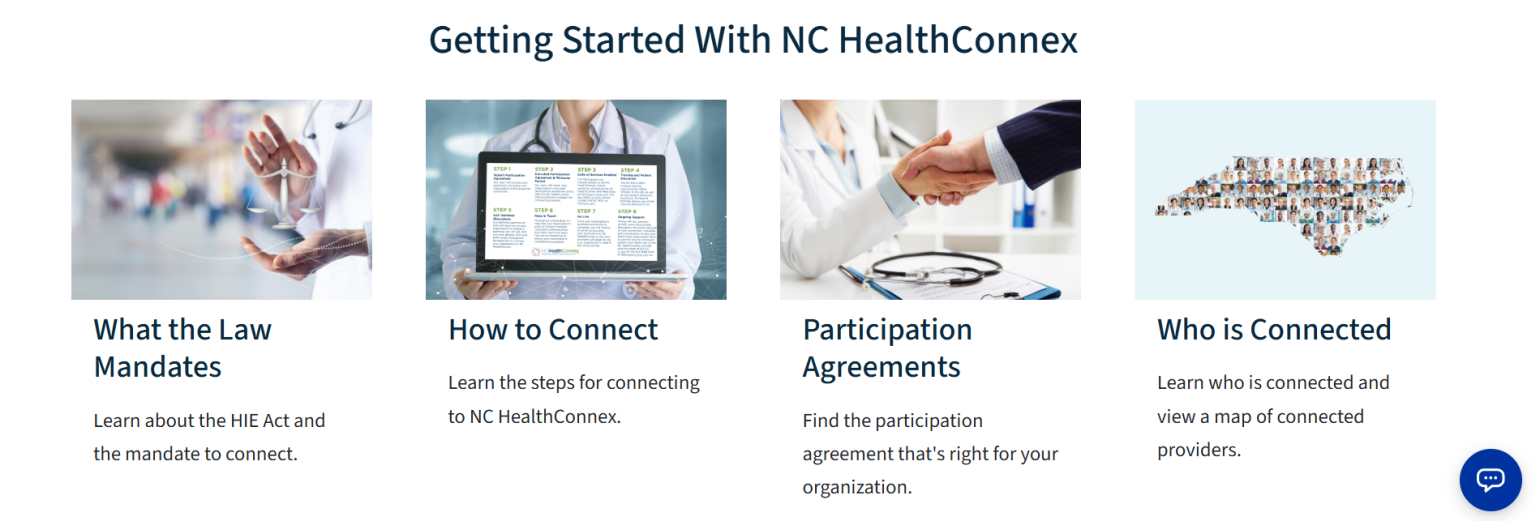
Users interact with the AI Chatbot by selecting the blue button with the white chat icon.
This page was last modified on 11/23/2026